Notion Template
The Notion HR template for small teams
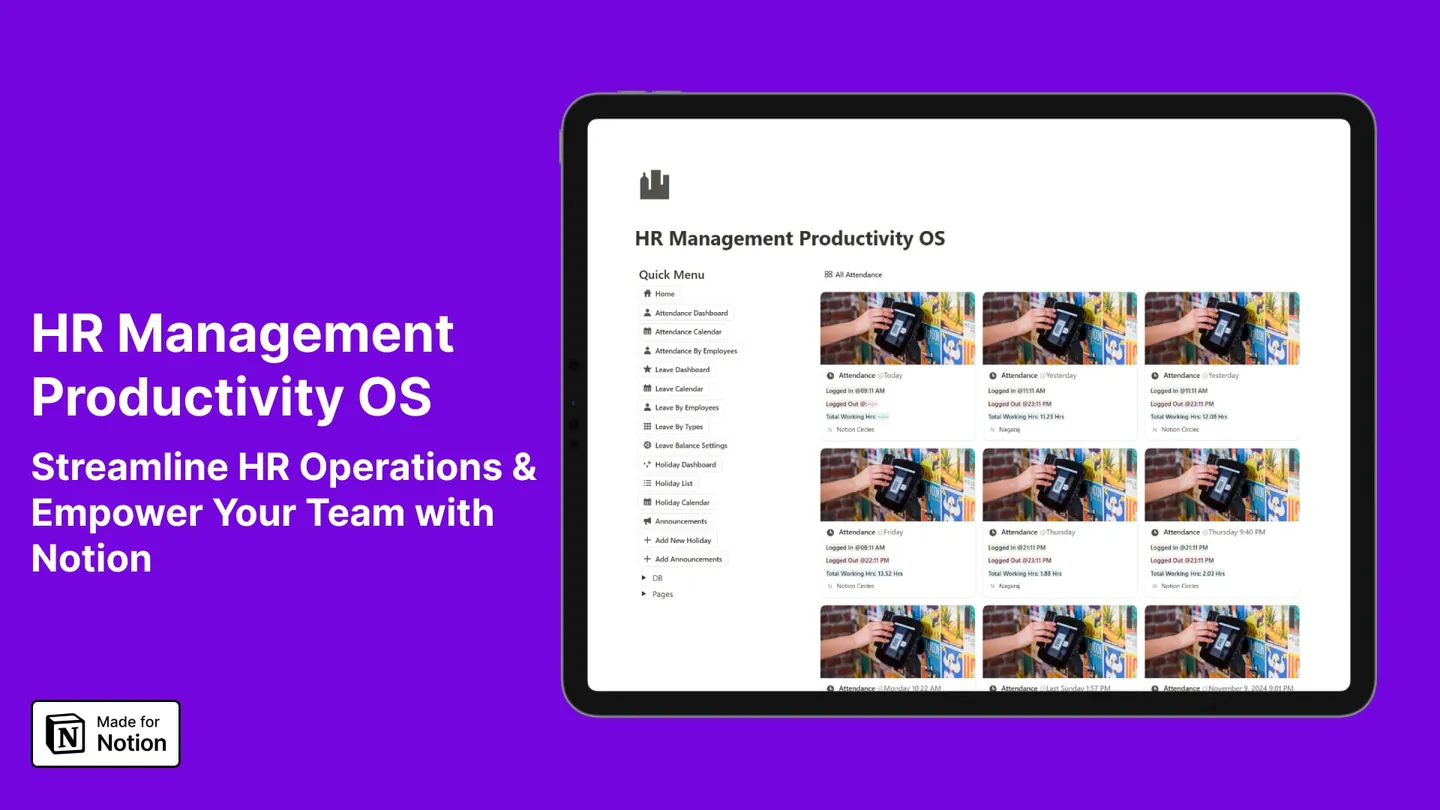
Employee attendance, leave requests and reimbursement claims, running in one Notion workspace instead of three spreadsheets and a WhatsApp thread.
One-time payment. Free updates. Duplicates into your workspace in about fifteen minutes.
- Recommended Creator
- NotionRecommended Creator
- Two linked spaces
- Admin + teamTwo linked spaces
- Leave & claim updates
- AutomatedLeave & claim updates
- One-time, free updates
- $59One-time, free updates
The problem
HR admin for a small team is not hard. It is just endless.
Under about fifty people, nobody buys HR software — the per-seat cost is hard to justify for something a spreadsheet nearly does. So the work spreads out instead:
- Leave requests arrive by WhatsApp and get approved by a thumbs-up reaction.
- Someone maintains an attendance spreadsheet that is three days behind.
- Nobody can say how many leave days a given person has left without opening two files.
- Reimbursement receipts sit in an email thread until the end of the quarter.
- Two people book the same week off and you find out on the Monday.
None of it is difficult. All of it is someone's afternoon, every week.
What is inside
An admin side and an employee side, sharing one set of databases
A linked set of databases, split into a dashboard only you see and a TeamSpace your team works in. Both read the same records, so nothing needs copying between them.
Admin dashboard
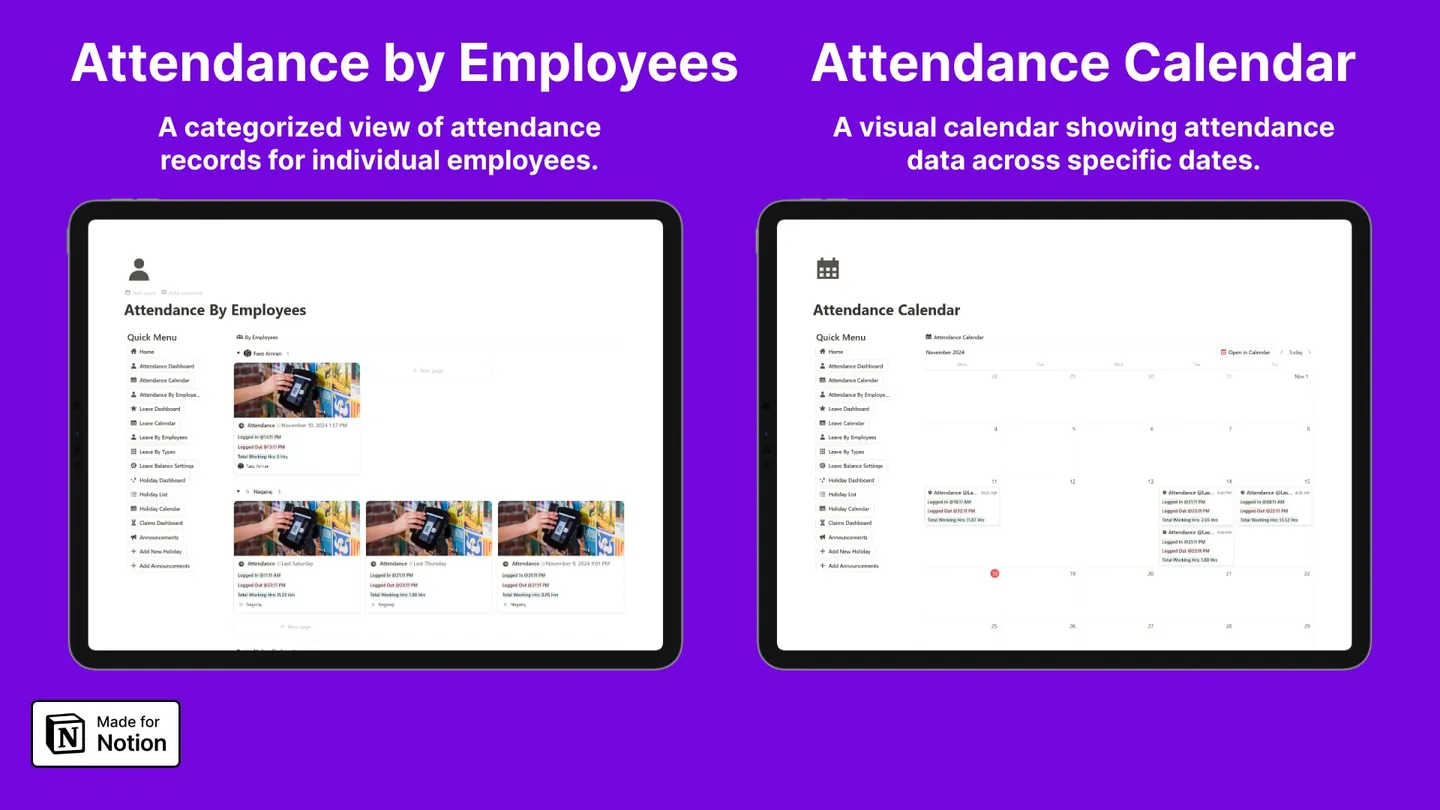
Attendance, without the spreadsheet
Employees clock in and out from their own page. The admin side rolls those entries into a dashboard, a month calendar, and a per-employee breakdown, so "who was in last Tuesday" takes one click instead of a filter you rebuild every time.
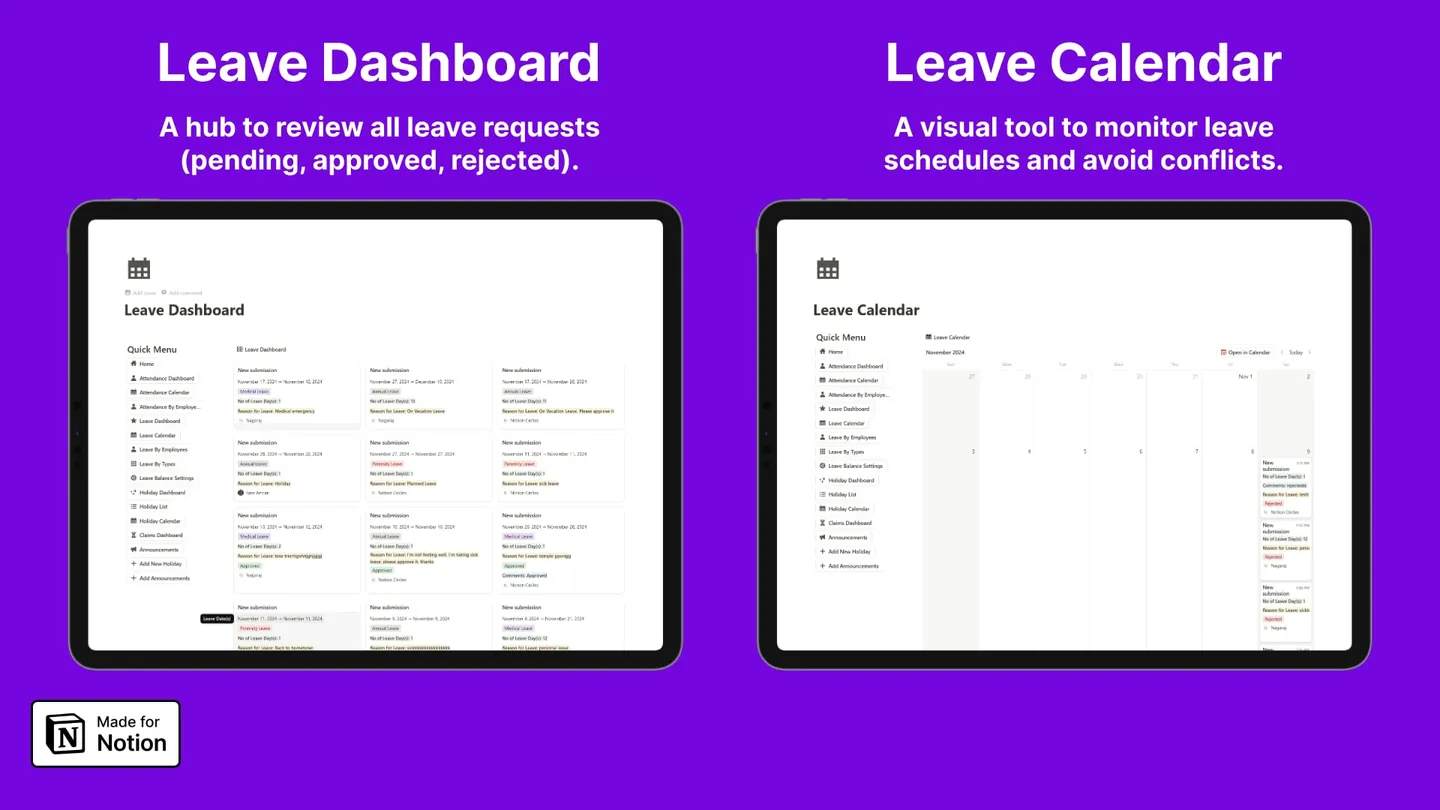
Leave requests that resolve themselves
Requests land in a single dashboard split by pending, approved and rejected. A calendar view sits beside it so you can see two people asking for the same week before you approve the second one — and balances subtract themselves as you approve.
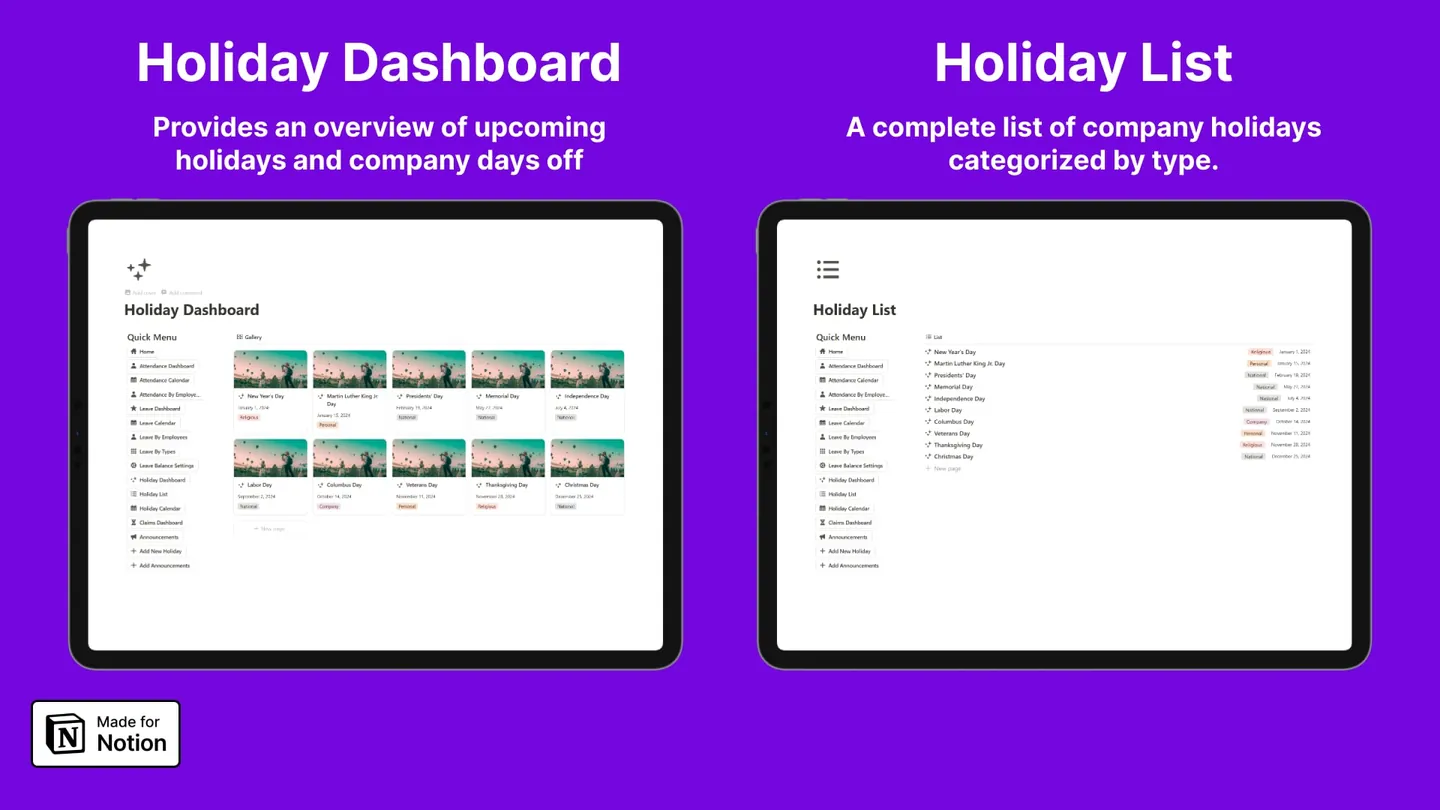
Holidays and announcements in one place
A holiday list categorised by type, a calendar view of it, and an announcements feed the whole team reads. Set the year once in January and stop answering "is Friday off?".
Employee TeamSpace
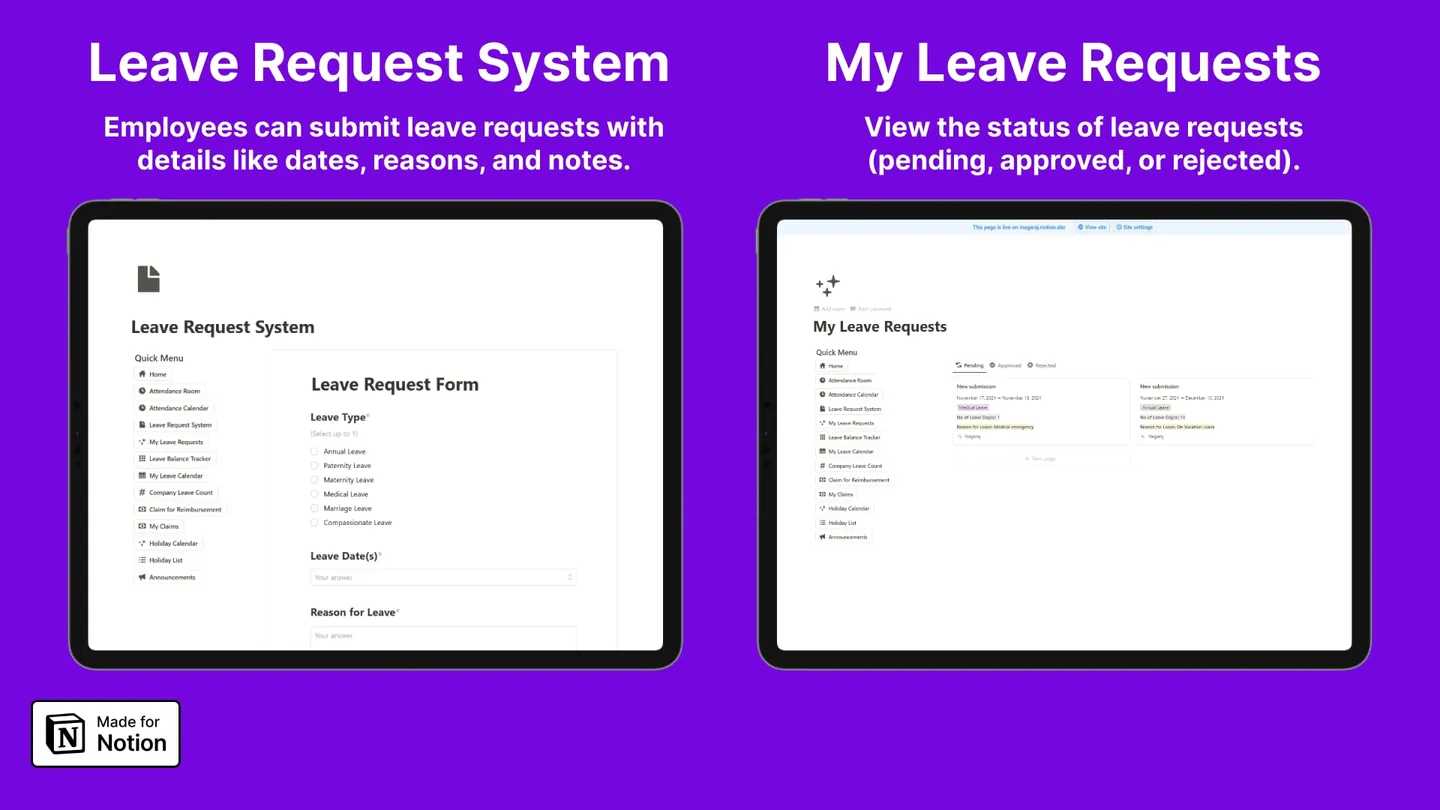
A leave request form, not an email
Leave type, dates and reason, submitted from the employee TeamSpace. Every request arrives structured, so nothing needs re-typing on your side — and the employee tracks their own pending, approved and rejected requests without asking you.
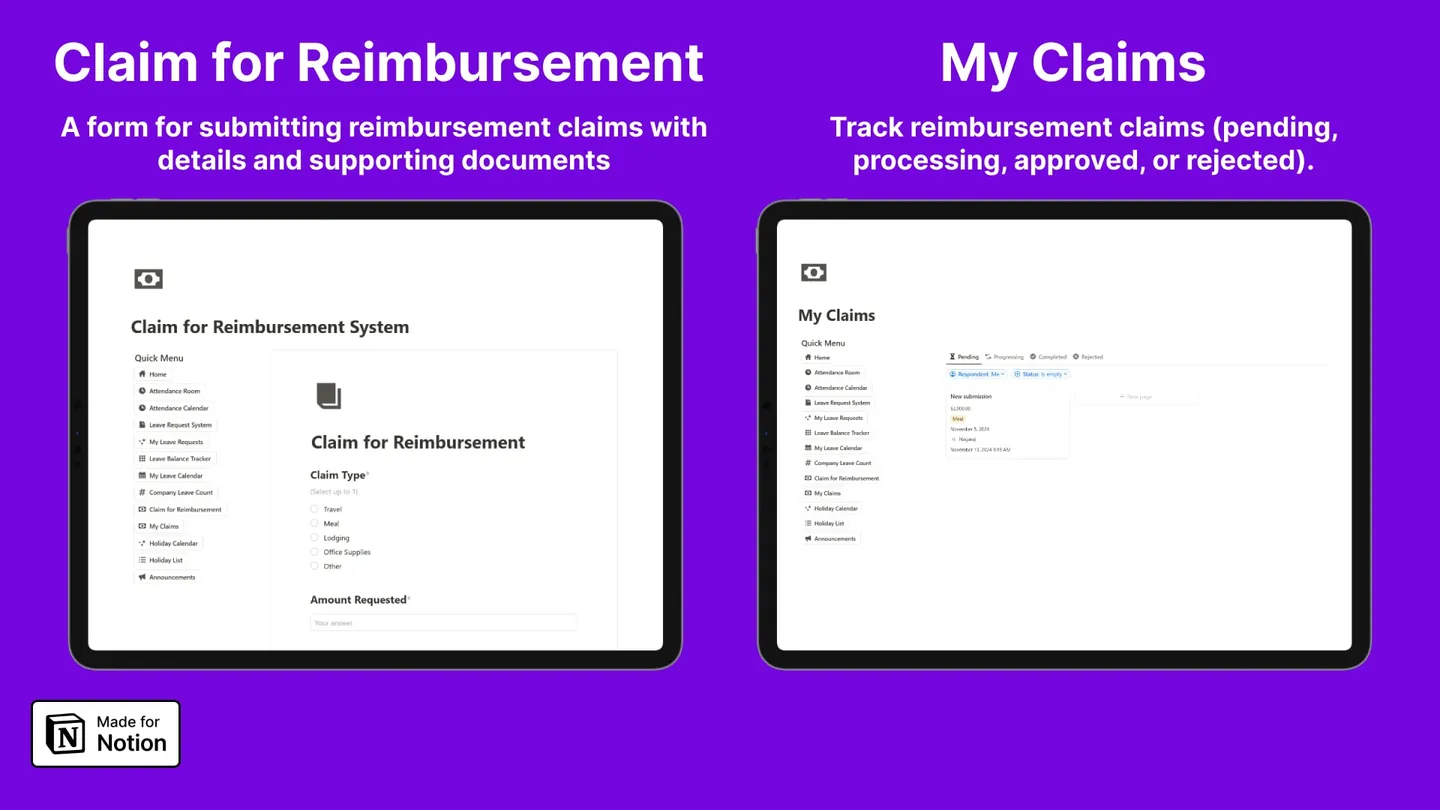
Reimbursement claims with receipts attached
Claim type, amount and supporting documents in one form. Claims move through pending, processing, approved and rejected, and the employee follows their own without asking finance.
Automations
The part most HR templates skip
Almost every HR template on the market is a set of linked databases and nothing else — someone still has to tell the employee their leave was approved. This one uses Notion automations to send that notification the moment a status changes, on both the leave and the reimbursement systems.
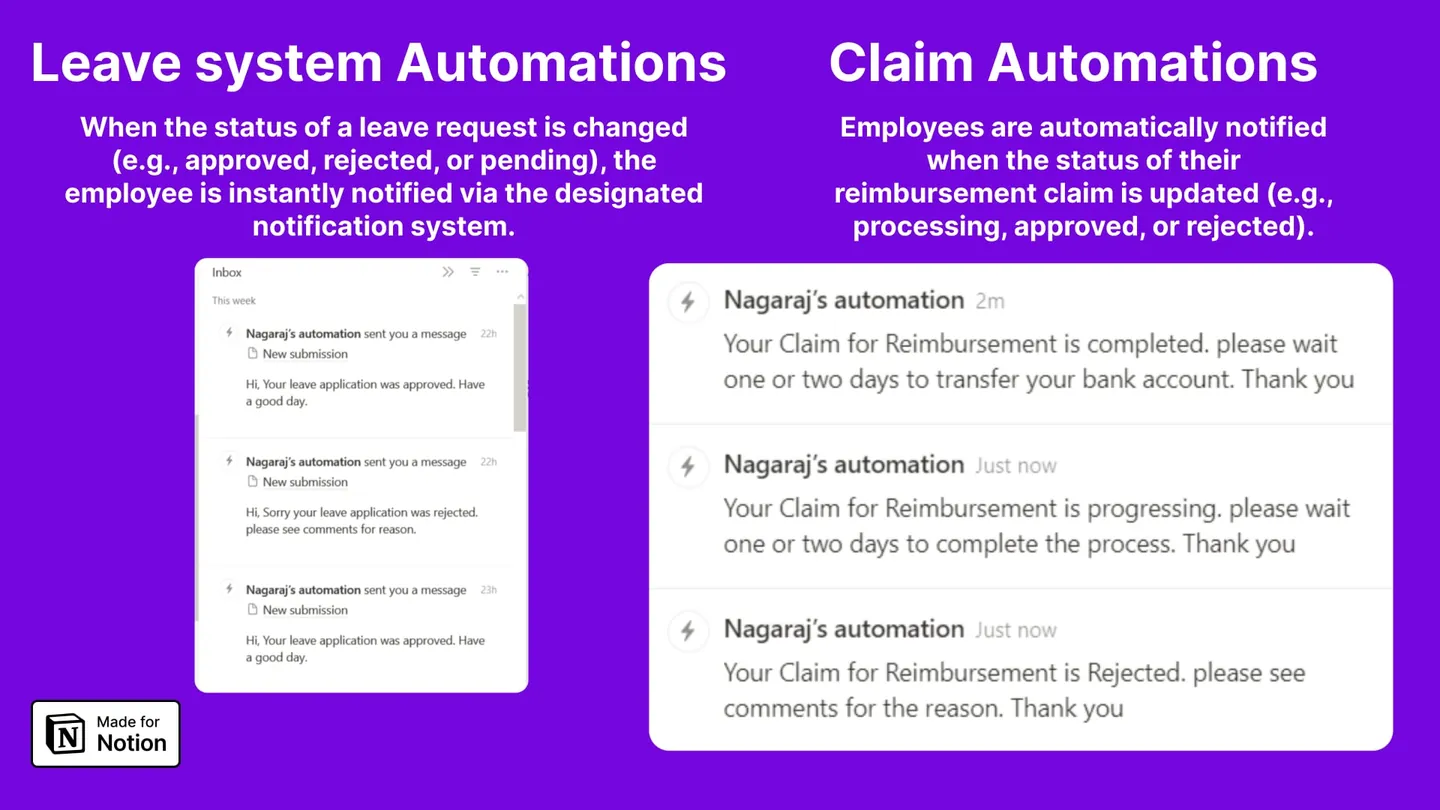
Leave status notifications
Change a request to approved, rejected or pending and the employee is notified in Notion straight away, with your comment attached if you left one.
Claim status notifications
The same on reimbursements. Move a claim to processing or completed and the employee gets told, which is usually the difference between a finance queue and a finance inbox.
Who it is for
Built for the size of team that HR software prices out
HR professionals
You already own the process. You want it out of spreadsheets without a procurement cycle.
Small agencies
5 to 40 people, no dedicated HR hire, and per-seat software that costs more than the problem.
Business owners
You approve leave between client calls and want it to take thirty seconds.
Notion power users
You would build this yourself. This is the version that already has the relations and rollups wired.
Honest comparison
Template, DIY, or real HR software
Three ways to solve this, and the honest version of when each one wins.
| This template | Build it yourself | Paid HR software | |
|---|---|---|---|
| Cost | $59 once | Free | $10–25 per employee/month, often a flat minimum |
| Time until it works | About 15 minutes | 10–20 hours | 1–3 days including onboarding |
| Lives where your team already works | Yes, in Notion | Yes, in Notion | No, a separate app |
| Fully customisable | Yes | Yes | Only what the vendor exposes |
| Status notifications | Built in | You build them | Built in |
| Payroll | No | No | Yes |
| Compliance and audit trail | No | No | Yes |
| Row-level privacy between employees | Limited | Limited | Yes |
| Comfortable team size | Up to roughly 50 | Up to roughly 50 | Hundreds and up |
| Support | Docs and email | Yourself | Vendor SLA |
If you need payroll runs, statutory compliance, or a real audit trail, buy HR software — this template does not replace it and is not trying to. It replaces the spreadsheet and the WhatsApp thread that most teams under 50 people are actually using.
Questions
Before you buy
Do I need a paid Notion plan?
The databases, dashboards and calendars work on Notion's free plan. The leave and claim status notifications use Notion database automations, which need a paid Notion plan. If you stay on free, everything still works — you just tell the employee yourself instead of the automation doing it.
Is $59 a one-time payment?
Yes. One payment, no subscription, and updates to the template are free once you own it. You are buying a Notion page you duplicate into your own workspace, so it keeps working whether or not you ever hear from me again.
How many employees can it handle?
It is built for teams up to roughly 50 people. The databases will hold far more, but attendance rows accumulate quickly and Notion views get slow to load long before the data limit matters. Above about 50 people, dedicated HR software is the better buy.
Can employees see each other's leave and salary data?
Partly, and this is worth understanding before you buy. Notion permissions are page-level, not row-level: employees share a TeamSpace, so anyone in it can see the leave requests database. The template separates the admin dashboard from the employee TeamSpace so admin-only settings stay private, but it cannot hide one employee's row from another inside a shared database. If per-row privacy is a hard requirement, you need real HR software.
Do I need to know Notion to set it up?
No. You duplicate the template into your workspace, add your employees to the people property, set leave balances, and invite the team to the employee TeamSpace. That is the whole setup and it takes about fifteen minutes.
Can I change the leave types?
Yes. Annual, paternity, maternity, medical, marriage and compassionate leave ship as defaults because they cover most teams, but they are select options on a database — rename them, delete them, or add your own.
Does it work for a team spread across countries?
The holiday list is yours to fill, so you can enter whichever calendar your team follows. What it does not do is maintain separate holiday calendars per country automatically — you would duplicate the holiday database per region and point each group at their own.
What exactly do I get after paying?
A Gumroad receipt with a Notion duplicate link. Click it, choose your workspace, and the full system copies in with sample data you can delete. There is no account to create and no app to install.
How is this different from the free HR templates on Notion's gallery?
Most free HR templates are a single employee database with a couple of views. This is a linked set of databases covering attendance, leave, balances, holidays, announcements and reimbursements, split into an admin side and an employee side, with automations on the two workflows that actually generate messages. There is a free attendance-only version here if you want to try the approach first.
Guides
Or build it yourself
Every part of this template is documented step by step. If you would rather build your own, start here — the guides are free and complete.
- How to track employee attendance in NotionBuild a working attendance tracker in Notion with clock in and out buttons, an hours formula, a month calendar, and a per-employee rollup. Step by step.
- How to build a leave request system in NotionBuild leave requests in Notion with a submission form, a status workflow, a days-requested formula, an approval dashboard, and automated notifications.
Get the HR Management Productivity OS
One Notion workspace for attendance, leave and reimbursements. Duplicate it and you are running in about fifteen minutes.
- Admin dashboard and employee TeamSpace
- Attendance, leave, balances, holidays, claims
- Leave and claim status automations
- Free updates, one-time payment